Choose the Right Frame
Matching aspect ratios, viewport surface area, and sequential carousel frames to the complexity of the message.
Viewport occupation and competing feed noise
Aspect ratio is not merely an aesthetic crop choice; it determines how long a visual remains visible during a standard thumb flick and whether competing posts appear simultaneously on screen. A horizontal 1.91:1 image leaves room for both the preceding and following feed items to stay partially visible on a mobile phone, splitting viewer attention. Expanding the same composition to a 4:5 vertical frame (1080 × 1350 pixels) increases screen real estate by roughly 25% over a 1:1 square, temporarily isolating your visual from adjacent feed clutter.
However, larger vertical containers fail when designers simply pad empty margins around a small centered object. The advantage of 4:5 and 9:16 ratios comes from scaling the focal subject or increasing legible separation between visual proof and typographic annotation.
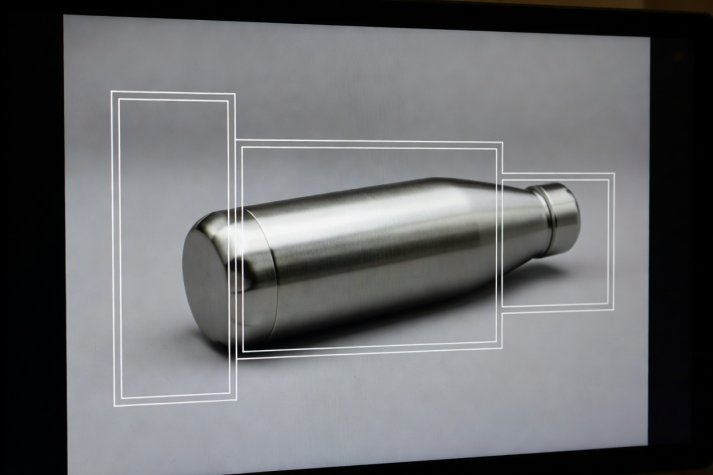
Preventing Interface Occlusion on 9:16 Assets
Full-screen 9:16 placements overlay account avatars, audio tickers, caption drawers, and persistent action icons across the bottom 28% and right-hand 15% of the frame. When key product details or comparison labels drift into these peripheral zones, comprehension drops sharply despite high impression counts.
Carousel pacing vs. single-image synthesis
Teams frequently convert a single-image concept into a five-card carousel hoping that extra swipe interactions will signal engagement to platform algorithms. In practice, every required swipe introduces a steep attrition curve. Across typical informational carousels, 65% to 80% of viewers who see Card 1 never advance to Card 2.
"Never hide your core product identity or primary visual proof on Slide 4 of a carousel. Slide 1 must function as a complete, self-sufficient argument for the majority who never swipe, while offering an explicit open loop for those who want detail." — Format Selection Guidelines, Section 3.4
Use carousels when the content naturally requires sequential revelation—such as a zoomed-out garment silhouette on Card 1, a macro seam stitching close-up on Card 2, and a sizing measurement table on Card 3. Design the right-hand edge of Card 1 with a deliberate visual bridge (such as a continuous horizontal rule or cropped secondary object) that signals additional frames exist.
| Format Container | Primary Strength | Typical Failure Mode | Recommended Visual Structure |
|---|---|---|---|
| Single 4:5 Still | Zero-friction comprehension in <2 sec | Overcrowding frame with 4+ text blocks | One dominant focal point + single 5-word header |
| Split-Screen 4:5 Still | Immediate A/B state or scale comparison | Halves become too small on 5-inch screens | Top/Bottom horizontal split for wider detail |
| 3-to-5 Slide Carousel (1:1) | High save rates for technical breakdowns | Burying product category until final card | Card 1 thesis; Cards 2–3 proof; Card 4 summary |
| 9:16 Poster / Cover Still | Full-viewport immersion without feed chrome | Bottom-third captions covered by UI buttons | Anchor subject & labels in upper-central 60% |